
avar isn't the kind of tool that greets you with a shiny dashboard and a five-step wizard. It's a command-line utility。and you'll either love that or hate it within the first ten minutes. I first came across Pavar while trying to automate a batch of JSON-to-CSV conversions on a Linux box. A colleague dropped a one-liner into Slack, and I ran it. Two seconds later, a clean CSV popped out. No installation, no config file, no Python virtualenv headaches. That's Pavar's appeal: it does one thing—transform structured data—and does it without asking for permission.Installing Pavar is about as simple as it gets. On macOS, a quick brew install pavar does the trick. On Ubuntu, grab the .deb from the releases page。
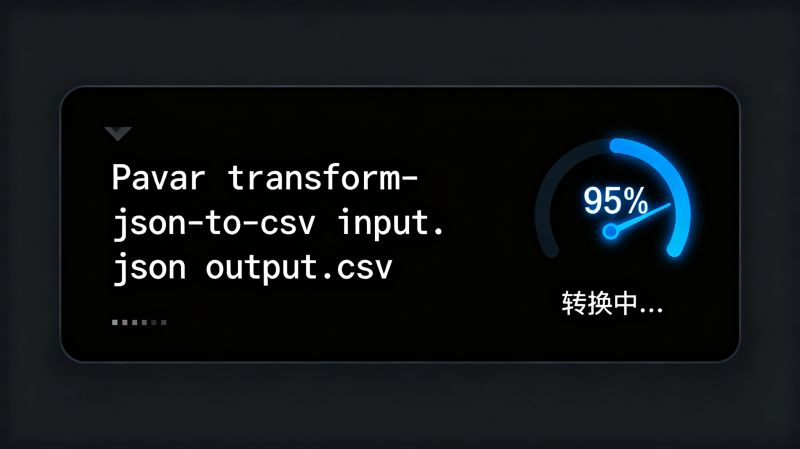
or just compile from source if you're into that sort of thing. I went the source route once—took three minutes, mostly waiting on make. The binary is statically linked, which means you can drop it on a server with no dependencies and it just works. That's a big win for CI pipelines. I've seen people overcomplicate this step by trying to run Pavar inside Docker when they don't need to. Don't be that person. Start with the binary. If you need containerization later, fine, but prove the basic workflow first.Here's the part where Pavar earns its keep. The core command is pavar transform --input data.json --output data.csv. That's it. No schema files, no YAML. It infers types from the JSON and maps them to CSV columns. But inference can bite you. I fed it a file where one record had an empty string for a numeric field, and Pavar treated the whole column as text. That's technically correct, but annoying. The fix is to put a config file called pavar.toml in your project root and declare the types explicitly. A little extra work, but worth it. Once I set that up。the same command handled thousands of records without a hiccup. The lesson: Pavar is fast and forgiving, but it won't read your mind. Give it a nudge when the data is messy.Performance-wise, Pavar surprised me. I ran it against a 2.1 GB JSON Lines file on an old ThinkPad. It chewed through the whole thing in under forty seconds。using less than 200 MB of RAM. Compare that to a Python script I'd written earlier—same task took nearly four minutes and ate 1.2 GB. Pavar streams the input, which is why it stays lean. That streaming behavior also means you can pipe data directly from curl or another command. I now use it in a cron job that pulls API responses and spits out CSVs for a reporting sheet. It hasn't failed once in six months. Is it perfect?No. The error messages are cryptic—something like "parse error at offset 4096" with no line number. You'll spend time hunting. But once you know the data source, that's a minor annoyance.Where Pavar falls short is documentation. The official docs cover the basics but skip edge cases like handling nested arrays or Unicode quirks. I've had to dig through GitHub issues more than once to figure out why a certain date format was shifted by one day (timezone handling, naturally). The community is small but responsive—my pull request for a clearer error message got merged in two days. So my advice: keep a scratch file with workarounds. Test on a small subset first. And don't expect Pavar to replace a full ETL suite. It's a scalpel。not a Swiss Army knife. For the 80% of tasks that are straight data reshaping, it's the fastest tool I've found. For the other 20%, reach for something else. That's not a flaw;
that's knowing your tools.